We have been busy repair PlayStation 5s (PS5s) including APU liquid metal refreshing and replacement; HDMI port replacement; HDMI connector pad trace repair; thermal putty replacement; and entire machine cleaning including fan, heatsinks and case.
For full info on our PS5 PlayStation 5 HDMI port / socket replacement repair fix service click here
Ps5 / PlayStation 5 case / fan / heatsink cleaning photos
= Better cooling + no overheating + quieter running
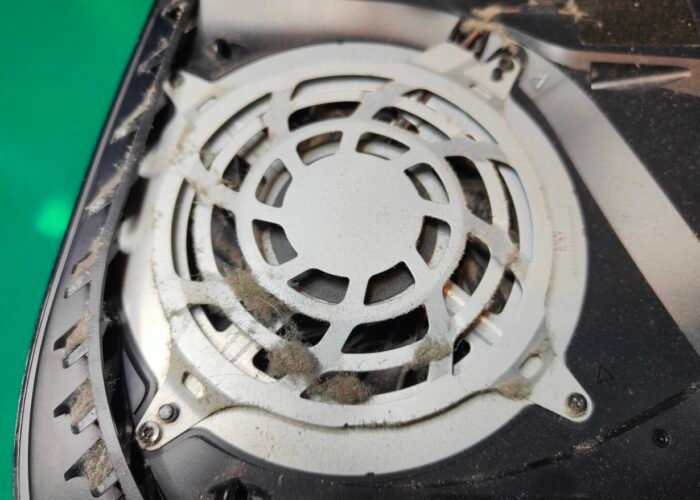
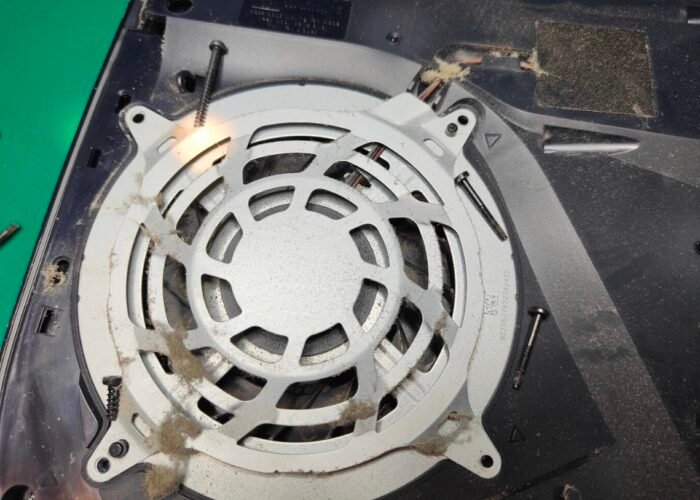
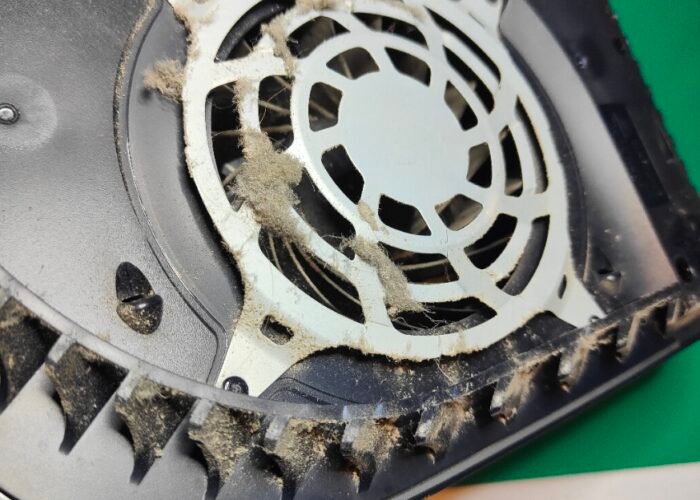
This fan intake guide on the top of the PS5 is coated in dust. It has to come off before we can reach the cooling fan, so it’s one of the first parts we clean when servicing a console.
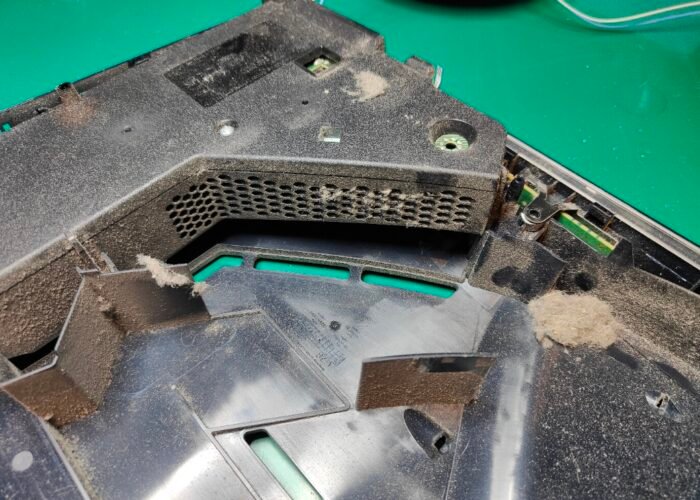
This is the PS5 power supply. Dust collects inside it over time, and the extra heat it traps can lead to component failure. We clean it out with compressed air as part of a service to help prevent faults.
Dust is packed onto the top fan intake guide of this PS5. Taking this guide off is the first step in getting to the cooling fan and cleaning the airflow path properly.
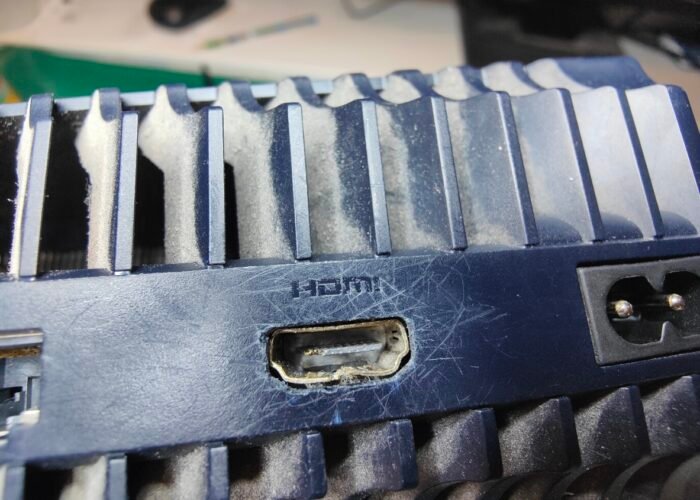
Dust on the air intake blade is a clear warning sign on the PlayStation 5. If it looks like this on the outside, the inside will be just as bad and the console really needs a service. A lot of our customers choose a deep clean, where we dust, clean and polish every part of the machine.
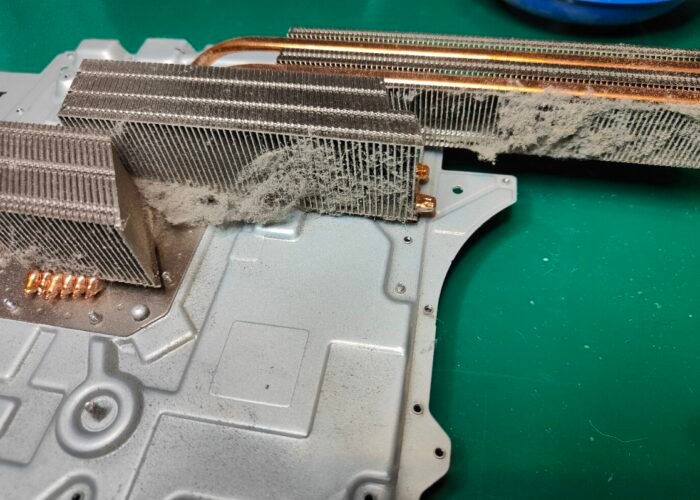
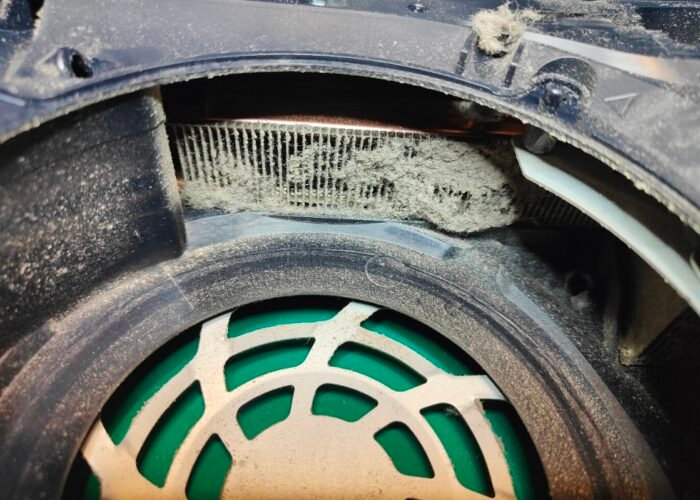
The large heatsinks in this PS5 are covered in dust. We see this often, and it gradually chokes the cooling system. Without a clean, the console will run hotter and the fan will get louder and run for longer to compensate.
The finished result: this PS5 has been fully serviced and put back together. We dusted, cleaned and polished the heatsinks, case and fans, so it’s ready to run cooler and quieter.
The fan intake guide on the underside of this PS5 is covered in thick dust, and the case air grills are blocked with it as well. With airflow restricted like this, the console has to work harder to keep cool, which is why a service was well overdue.
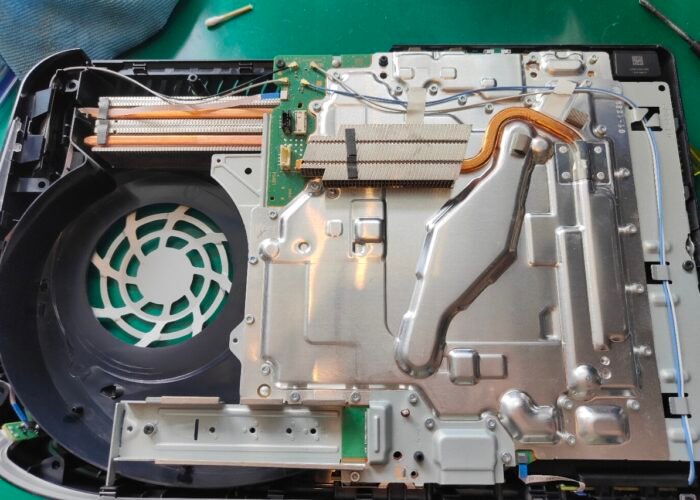
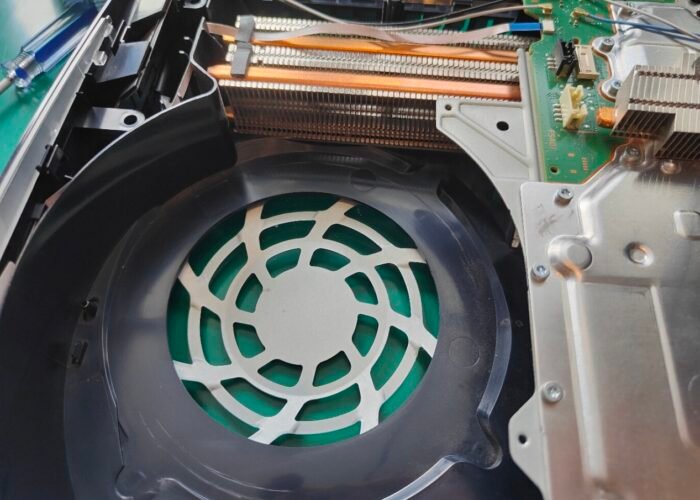
This is what the inside of a PS5 should look like. The fan area is clear and the heatsink is free of dust, so air can flow through properly and the console can keep its temperature under control.
A heavily dusted PS5 heatsink. This level of build-up is common, but it blocks the airflow the console relies on to stay cool. If it isn’t cleaned soon, expect overheating and a fan that runs louder and for longer.
Ps5 HDMI port replacement images
= Fixes some no display issues
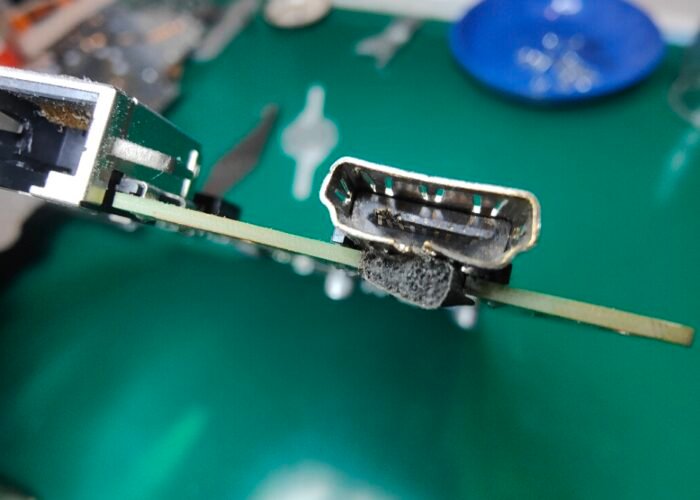
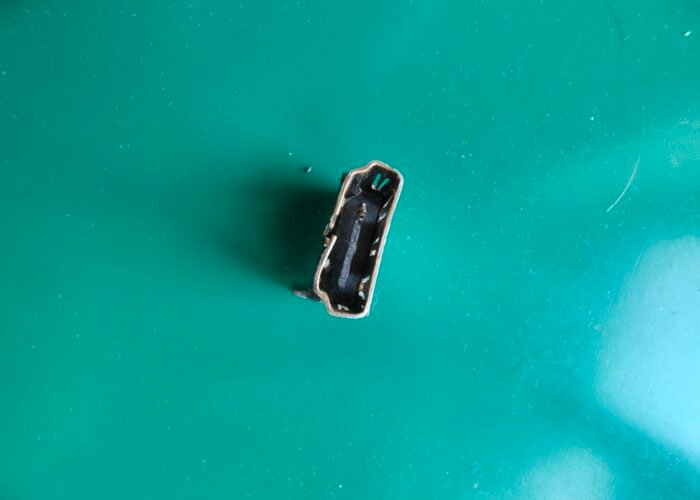
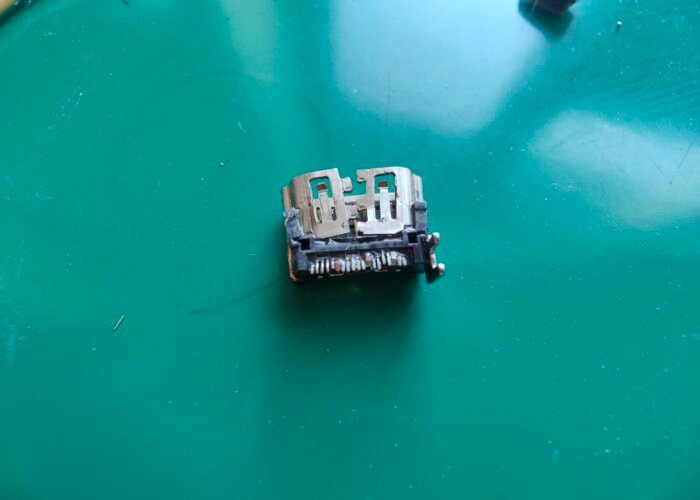
Damaged PS5 HDMI socket - this will be desoldered from the motherboard and replaced with a new port.
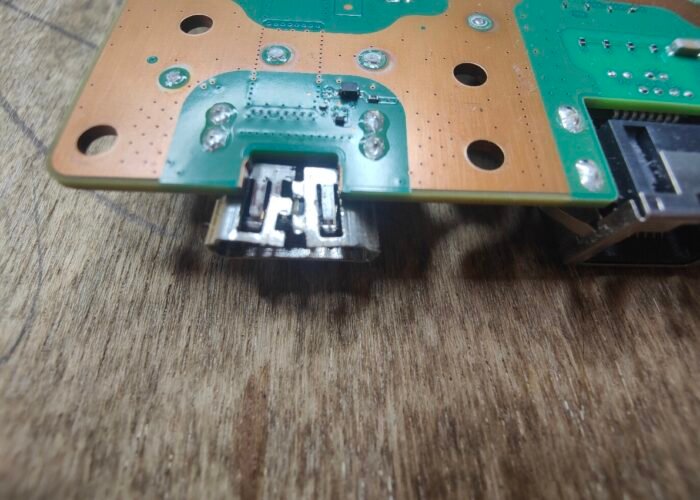
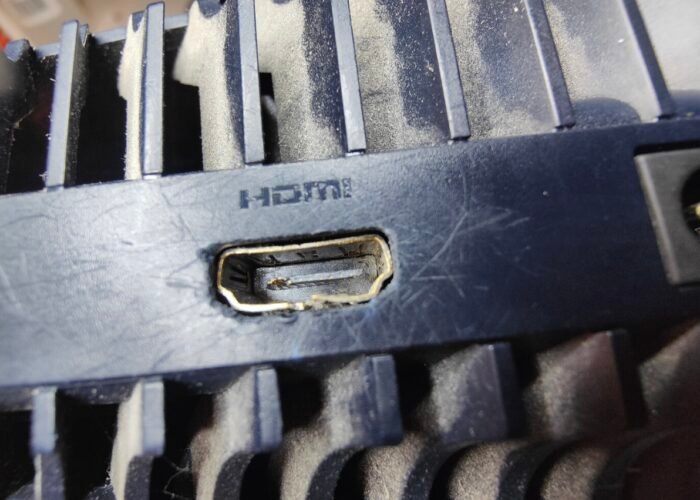
Damage to the HDMI port on this PS5 is clear to see - must have taken quite a knock to open up the metal case like that.
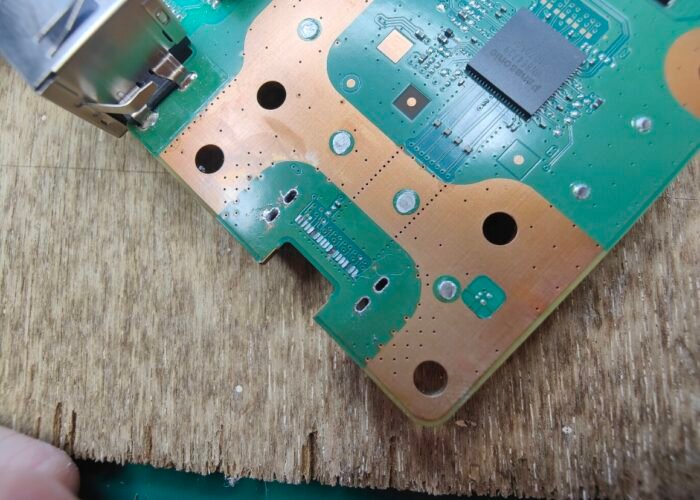
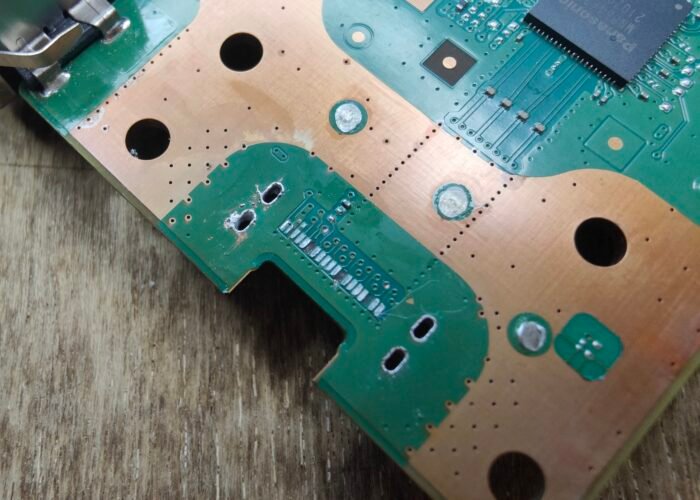
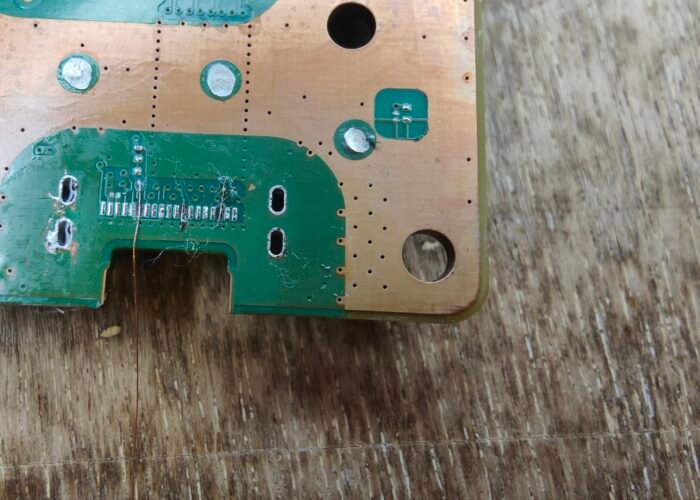
Here you can see the connector pads that were ripped away from the PS5 motherboard when the HDMI socket was forced out of place. These pads need rebuilding before a new port can be fitted.
This PS5’s HDMI port has taken a serious hit. The metal casing has been prised open and the socket is no longer holding its shape, so a cable can’t connect securely. A port in this condition needs replacing rather than repairing.
This close-up shows the torn-off connector pads on the damaged PS5 motherboard, where the HDMI socket used to sit.
Close up of a damaged HDMI socket on a PS5 before the machine is taken apart. It's difficult to tell is the damage is just to the port or worse damage like to connector pads repairing trace repairs is required.
Here we can see the ripped of connector pads on the damaged PS5 motherboard where the HDMI socket was.
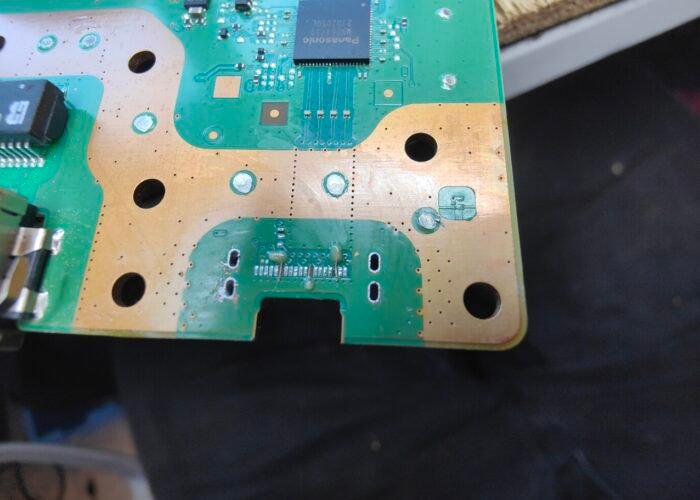
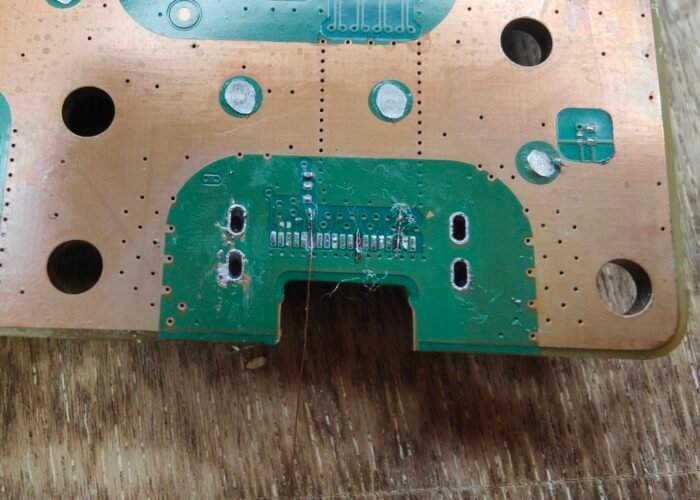
Part way through trace repairs on a PS5 HDMI socket's connector pads. This is a tricky repair requiring micro-soldering techniques.
Here we can see the ripped of connector pads on the damaged PS5 HDMI port
This is the damaged HDMI socket on a PS5 before any work has started. Looking at the port alone, we can’t tell if the damage stops at the socket or goes deeper, to lifted connector pads or broken traces that need repair. We only know for sure once the old port is removed and the board can be inspected.
Near the begining of trace repairing on a PS5 HDMI ports connector pads. Here wires are being connected from near the port to where the pads should be, ready to be set in place with some conformal coating.
Ps5 APU (CPU) liquid metal refresh / replacement
= Better cooling + no overheating + quieter running
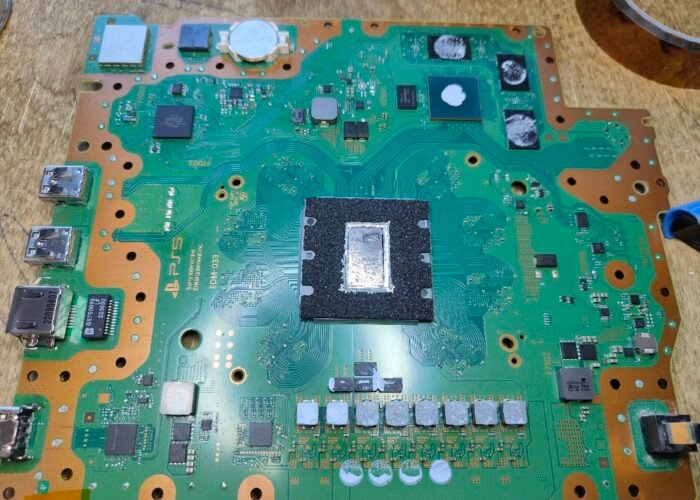
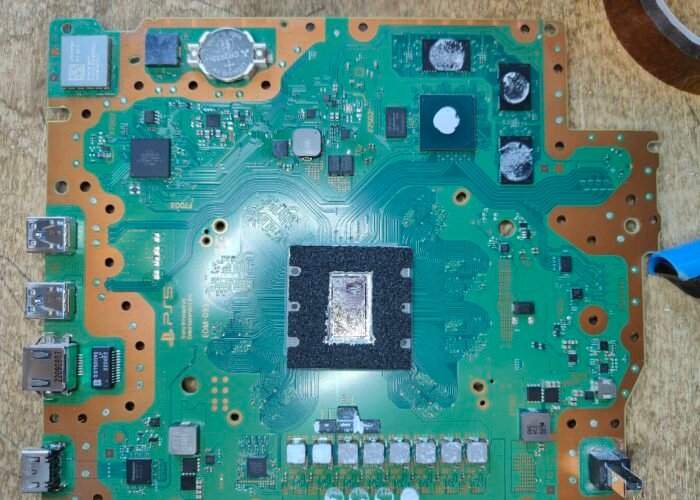
This is the full top side of a PS5 motherboard on our Sheffield workbench. The APU in the middle is the chip that produces most of the console’s heat, and it runs incredibly hot. Liquid metal sits between the chip and the heatsink to transfer that heat away efficiently, which is why we check it on every service.
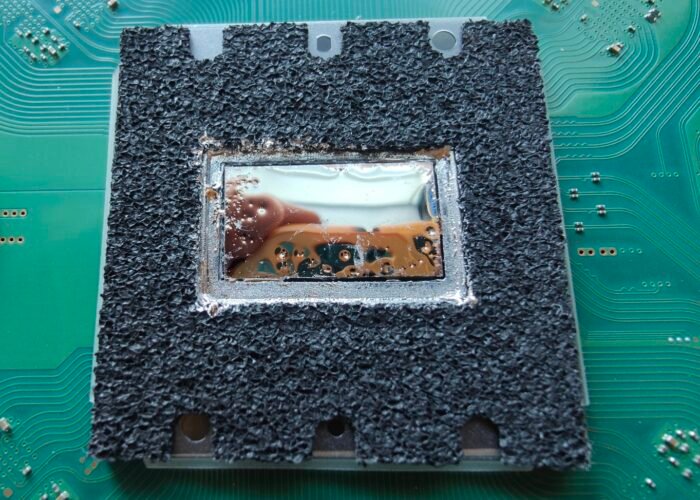
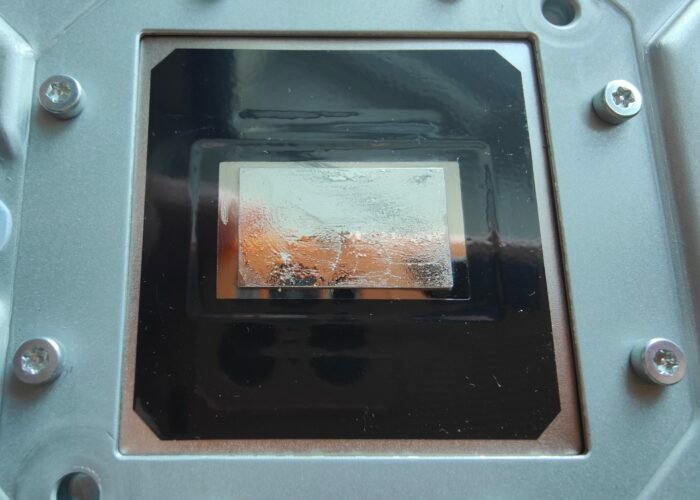
This is the refreshed liquid metal on a PS5 APU. We found a little too much had been applied, so we took the excess off before reassembling the console. We then tested it, and the machine cooled effectively and ran much quieter than before. This is the standard of work you can expect from our Sheffield service.
Here is the liquid metal exactly as we found it on this PS5’s APU. One area has very poor coverage and the thermal connection is deformed. It’s a common fault on older machines and on consoles that have stood vertically for years, because the liquid metal slowly flows downwards. At our Sheffield workshop we clean the chip fully before applying new liquid metal, so the contact is restored properly.
The heatsink contact surface that sits on the APU and carries heat away from it. During a service in Sheffield we clean it thoroughly, then apply a thin, even layer of liquid metal. When it’s refitted, the connection to the chip is as good as it can be, keeping the console running cooler.
For full info on our PS5 PlayStation 5 HDMI port / socket replacement repair fix service click here